
← Back to all projects
Fortus Fit
Product design for Fortus, a gym-tracking app with social features to get gains with friends.
For this project, I created a brand guide and basic website (via Framer) using a soft, dark green styling as per the client’s initial brief. The circular motif represents both the natural, veiny style patterns in nature, as well as a connected ripple-like effect. I used an altered serif style font that uses rounded curves to remain consistent with the motif’s round edges.
Case Study
The case for a redesign: Revisiting Fortus’ key goals
Many individuals find it difficult to begin their gym journey and stay consistent past the short-term. Based on this, there were two key MVP requirements for the app:
Workout Tracking & Insights
Allow users to log gym sessions and view their progress through insights. Custom routines can be created and saved.
Social Feed & Leaderboard
Users can share their workout to a social feed and maintain their own profile in the app. The Leaderboard captures how your friends are going in the gym.
While most of the features existed, they hadn’t been properly designed.
How might we create an app that is easy for beginners and encourage social interaction to boost motivation?
Beginner Friendly
Create an intuitive and inviting experience
Remove as many frictions and barriers to entry as possible. Focus on accessibility and intuitive designs with clear but engaging communication to users.
Customisable
Recognising everyone has different goals
Tailored insights to workout preferences, allowing users to track what matters most to them. Remaining approachable for beginners while providing the flexibility and depth for experienced users.
KEY REDESIGNS
- Onboarding Flow: Reducing Frictions
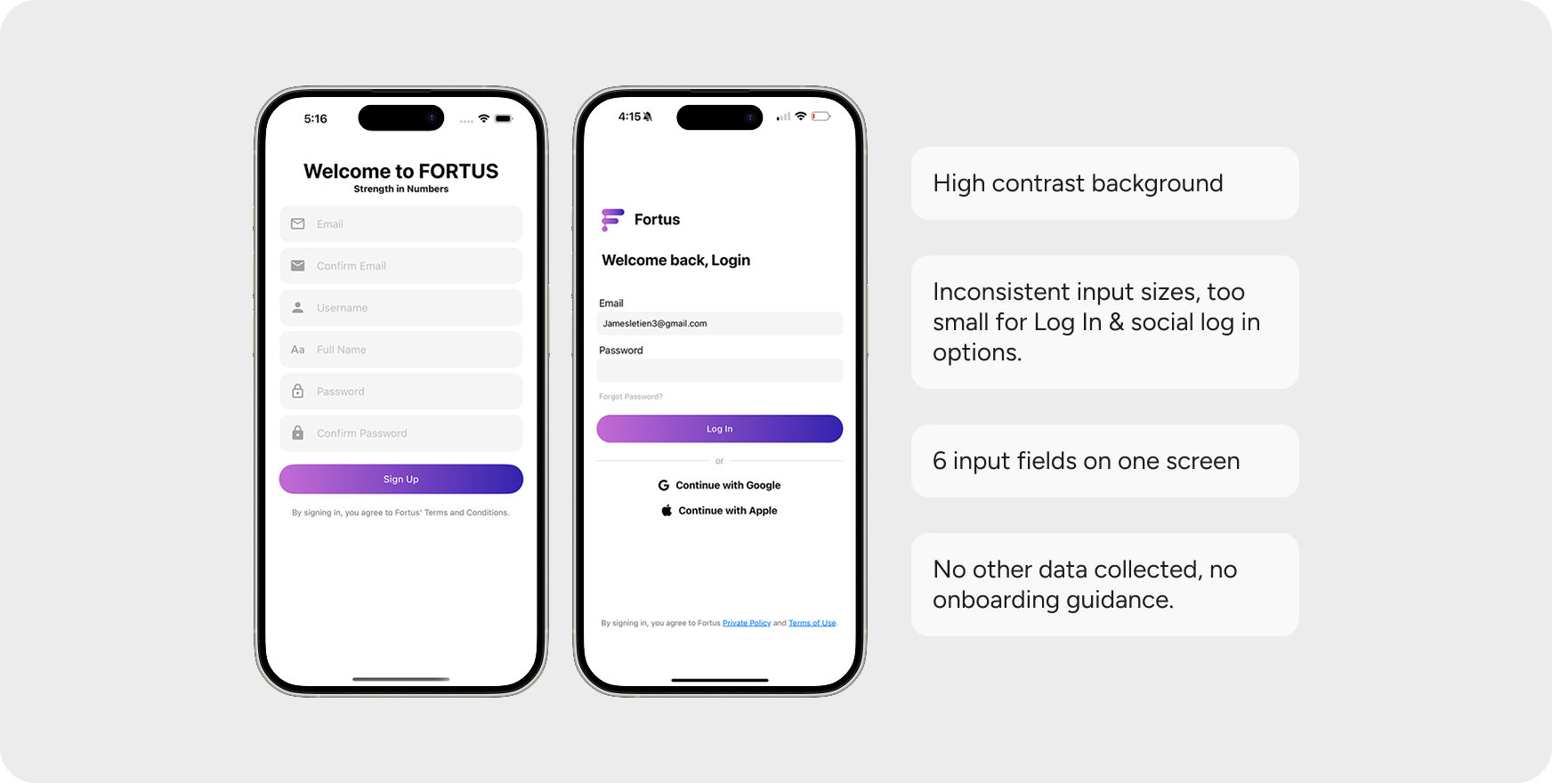
User feedback showed the process was confusing — with no loading states, unclear error messages, and outdated styling (especially for Forgot Password).
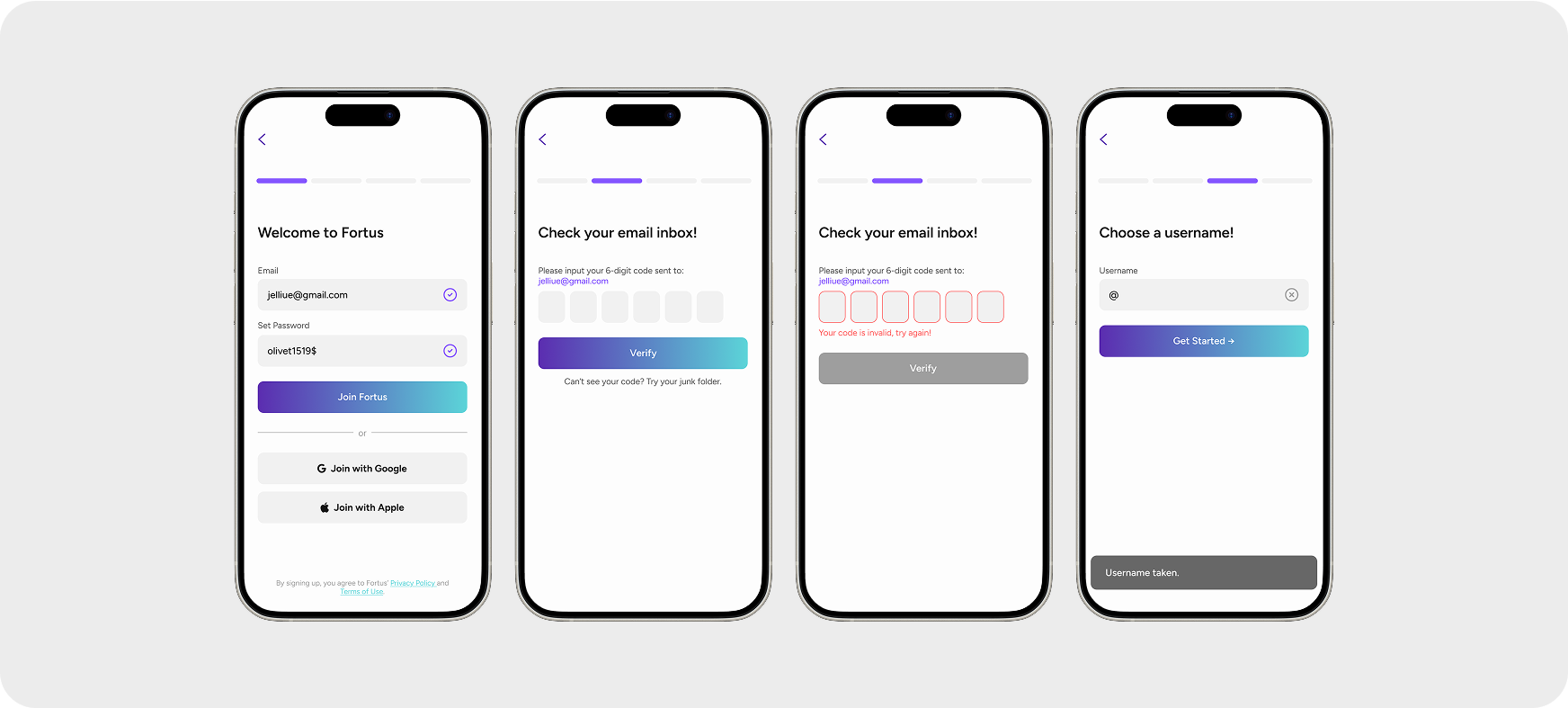
Not just registering, but beginning a journey.
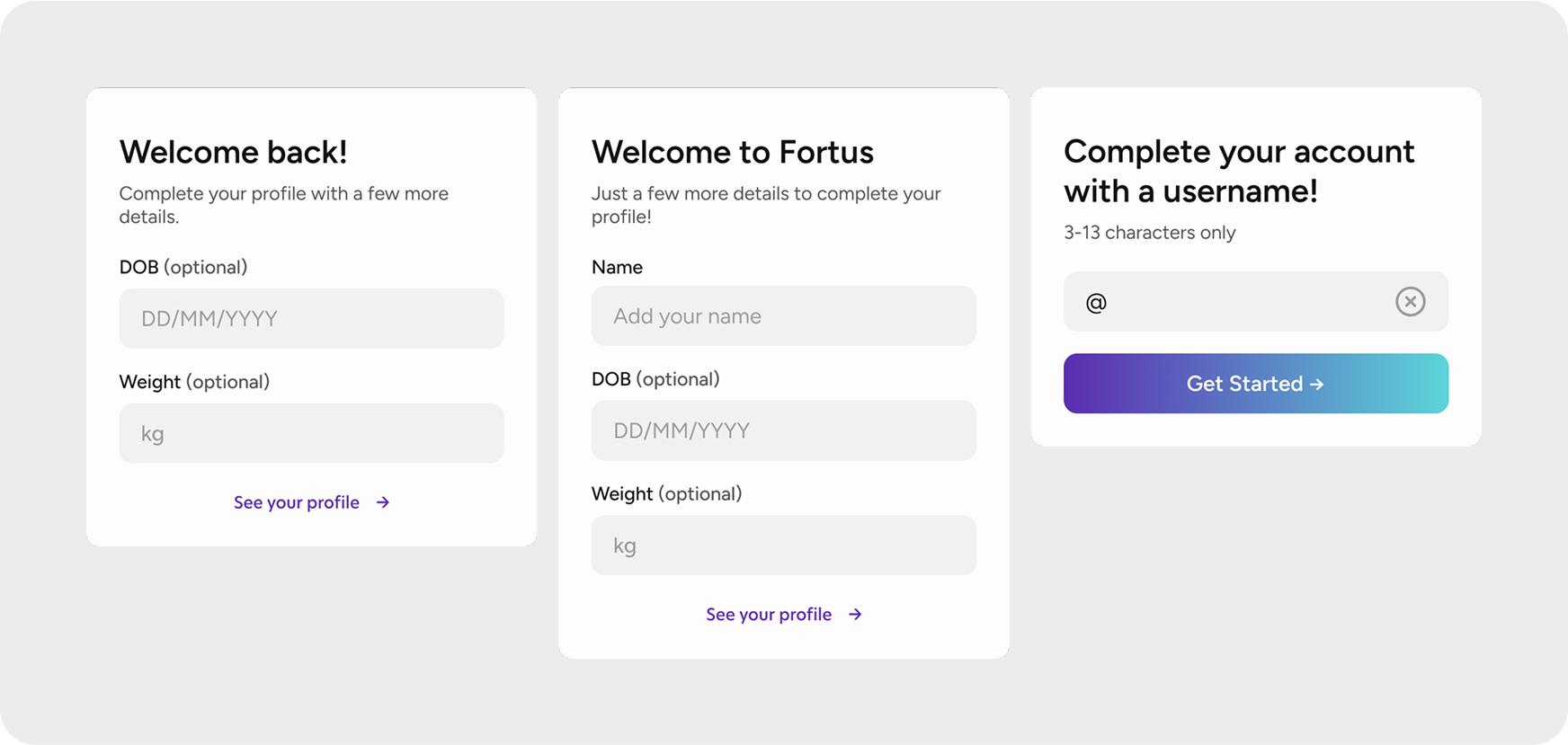
We streamlined the sign up process into three input steps and username. I also added a progress bar to reassure users the process was nearly complete.
Considerations for implementation.
As initial input fields changed depending on log in type and we wanted more data options, I designed pop-ups for three different cases (existing, new, social sign ups).
Data collection for future customisation
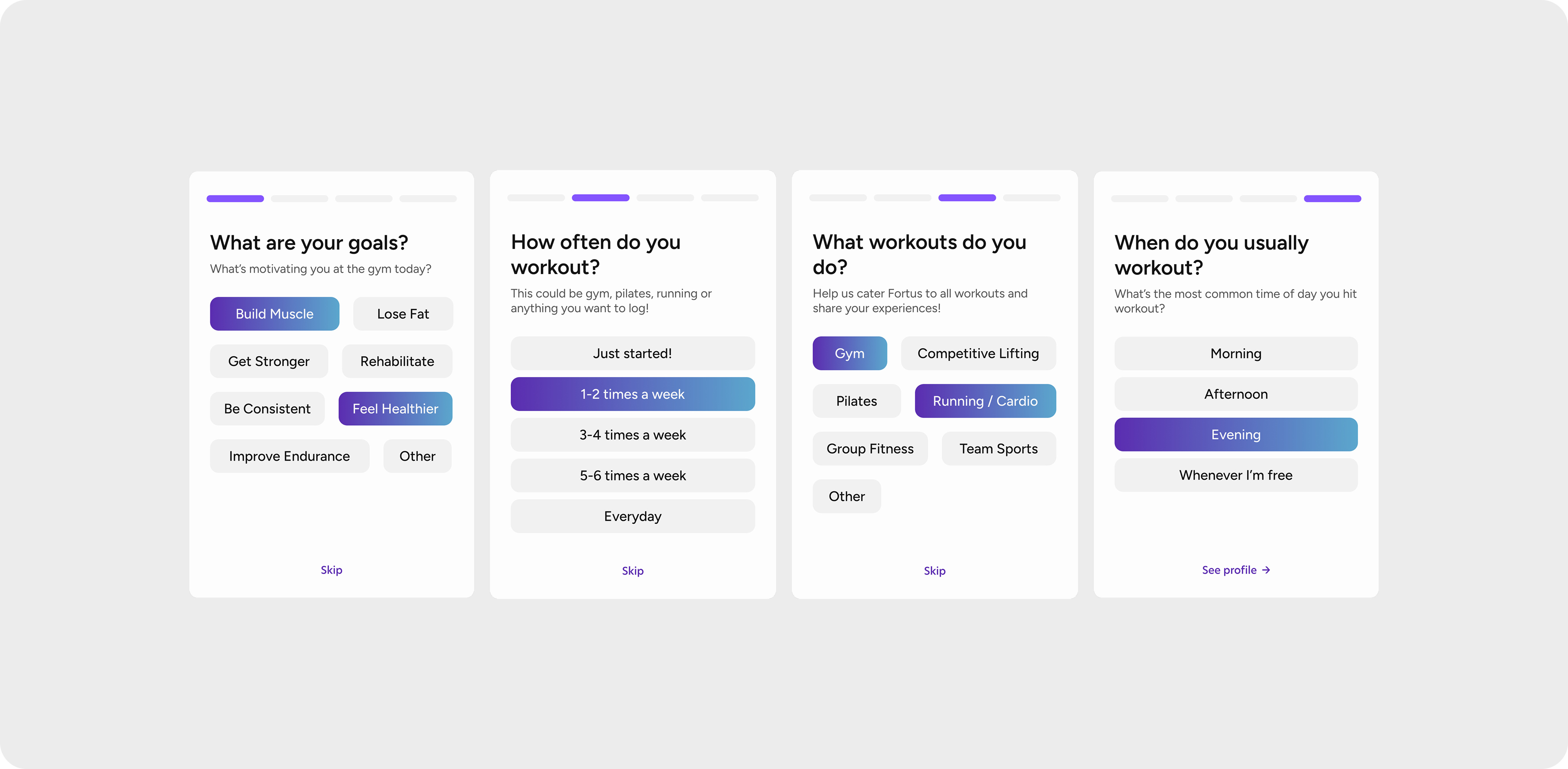
The questions were kept as objective as possible and easy to answer. I ensured there was a skip button and progress bars like the log in section to increase participation.
- Home Screen: A Recognisable Design
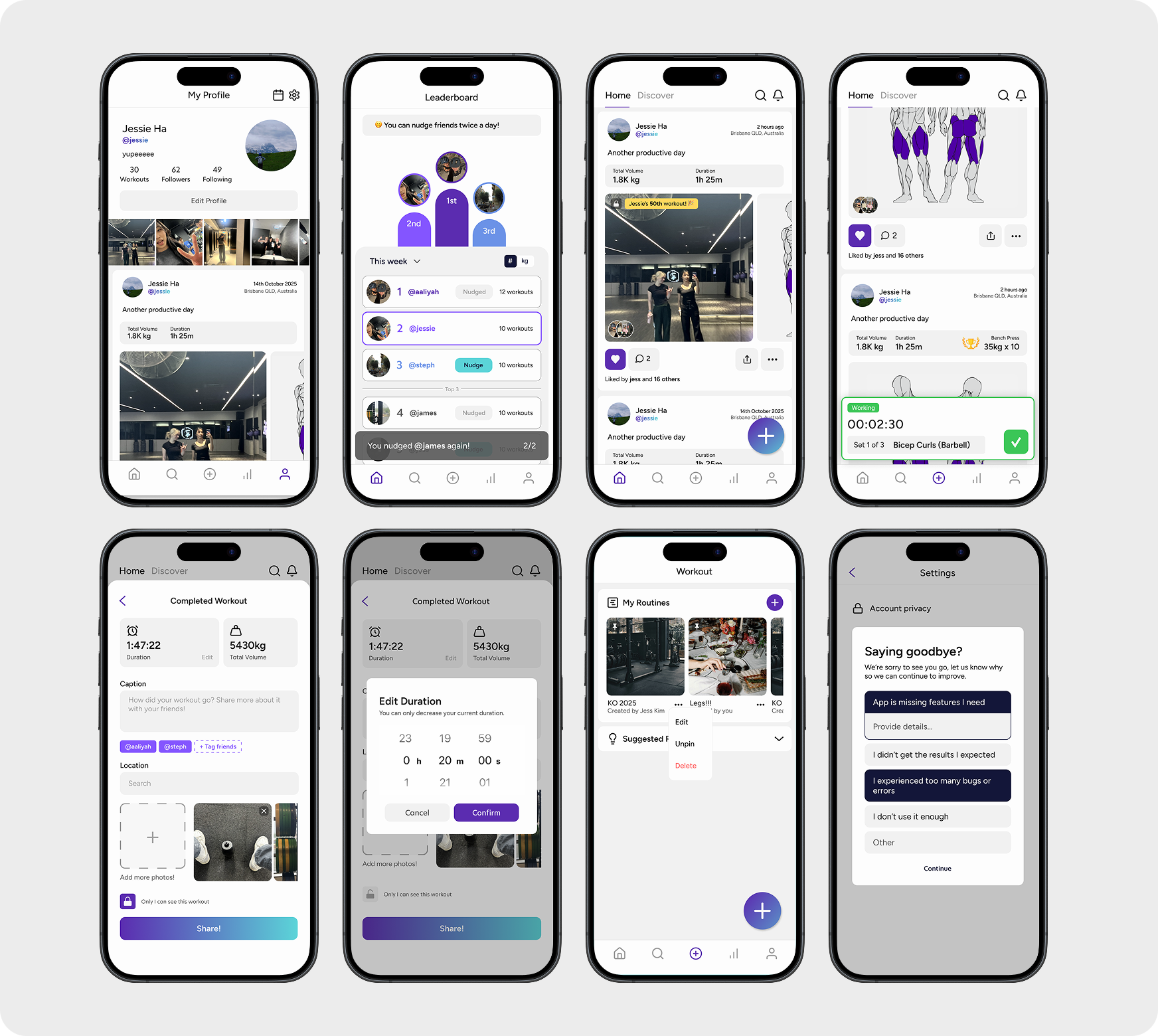
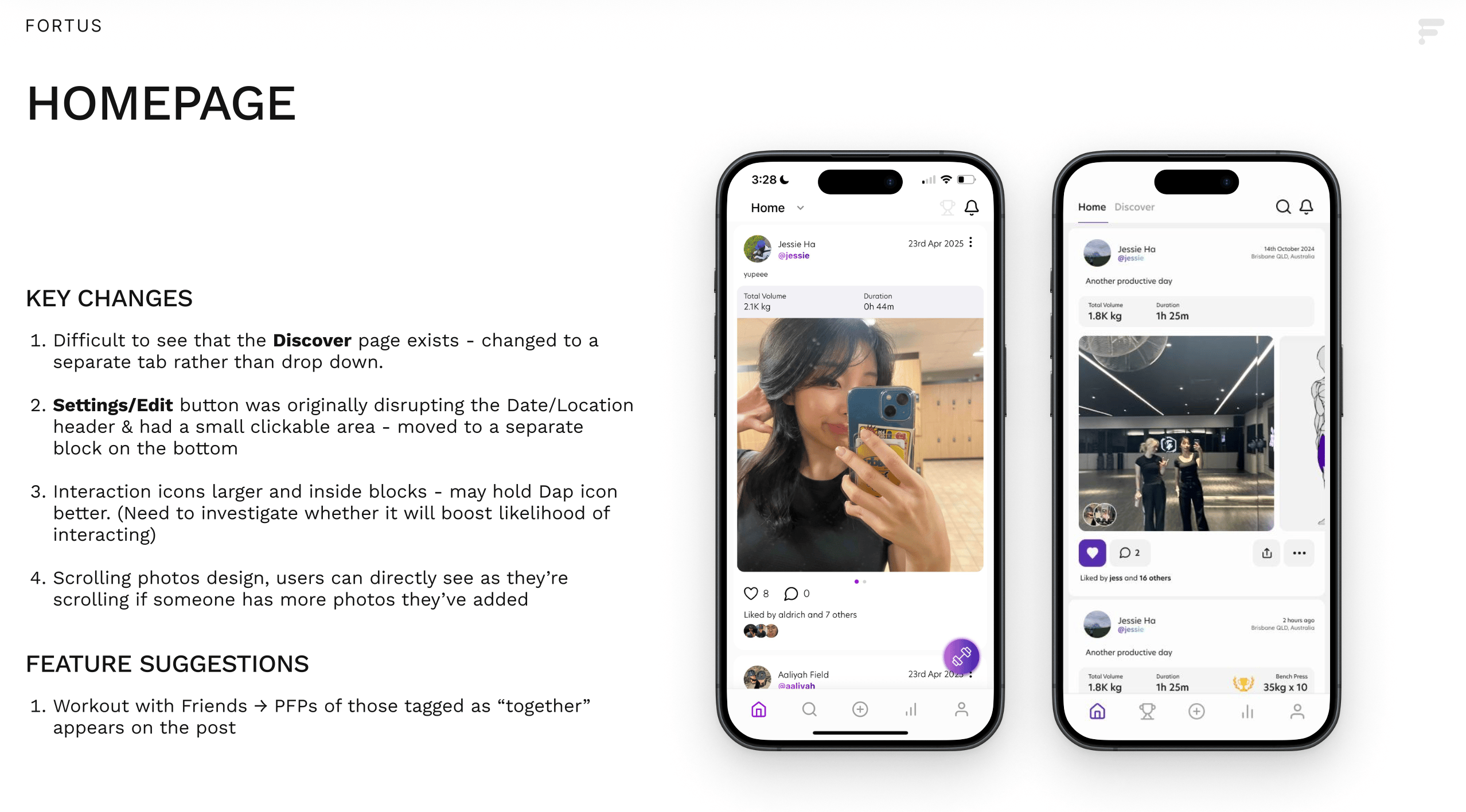
I refreshed the homepage with the new branding and introduced a distinct feed style, designed to be instantly recognisable and shareable when users take screenshots or use the app in public. This slide shows the version I presented to the team during the initial homepage update.
Additional features in development
The current version has been shipped into the app with accessibility improvements. We are also working on performance improvements for the main screen and opportunity to add additional tags and animations.
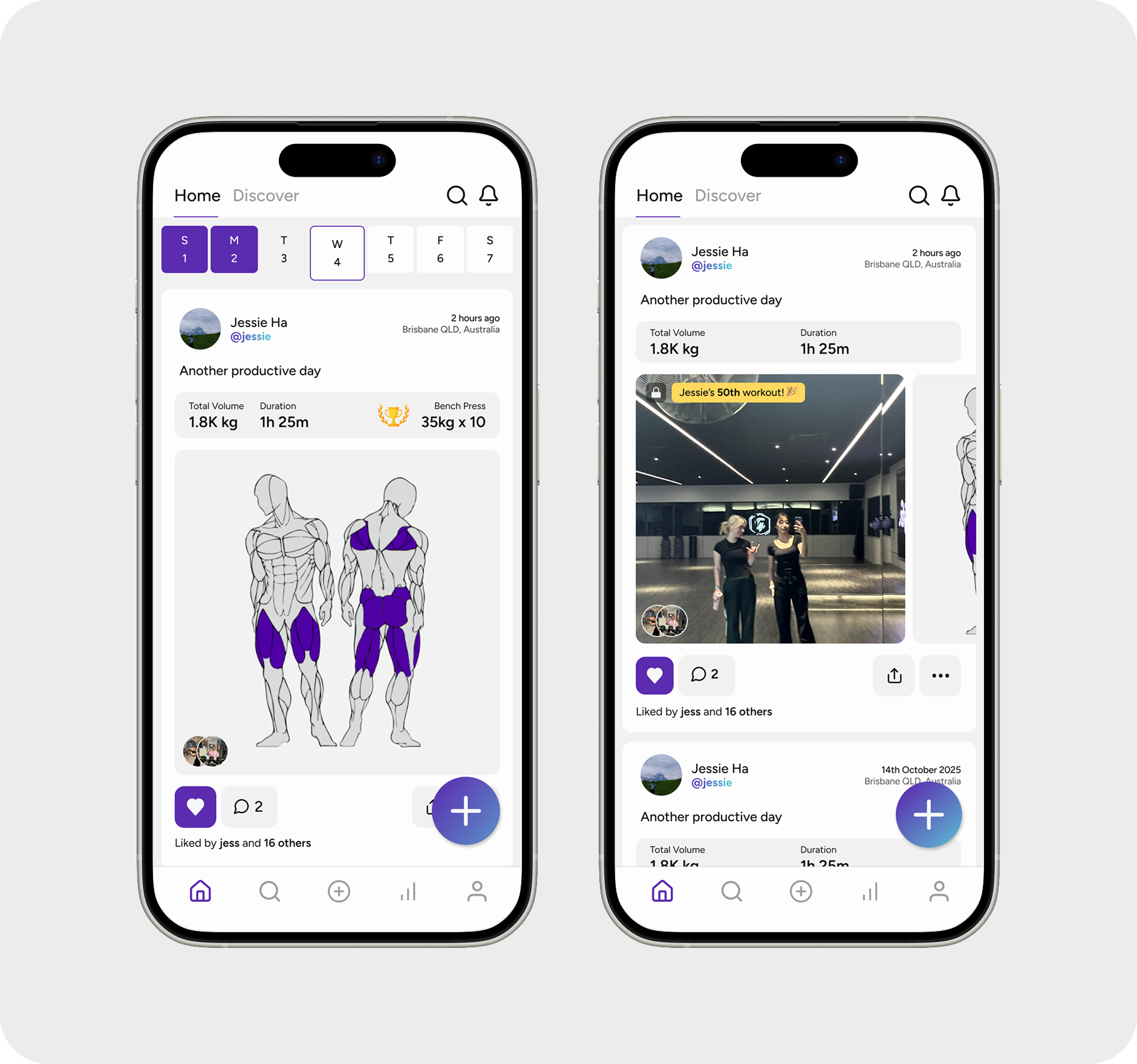
Iterating the design from user feedback.
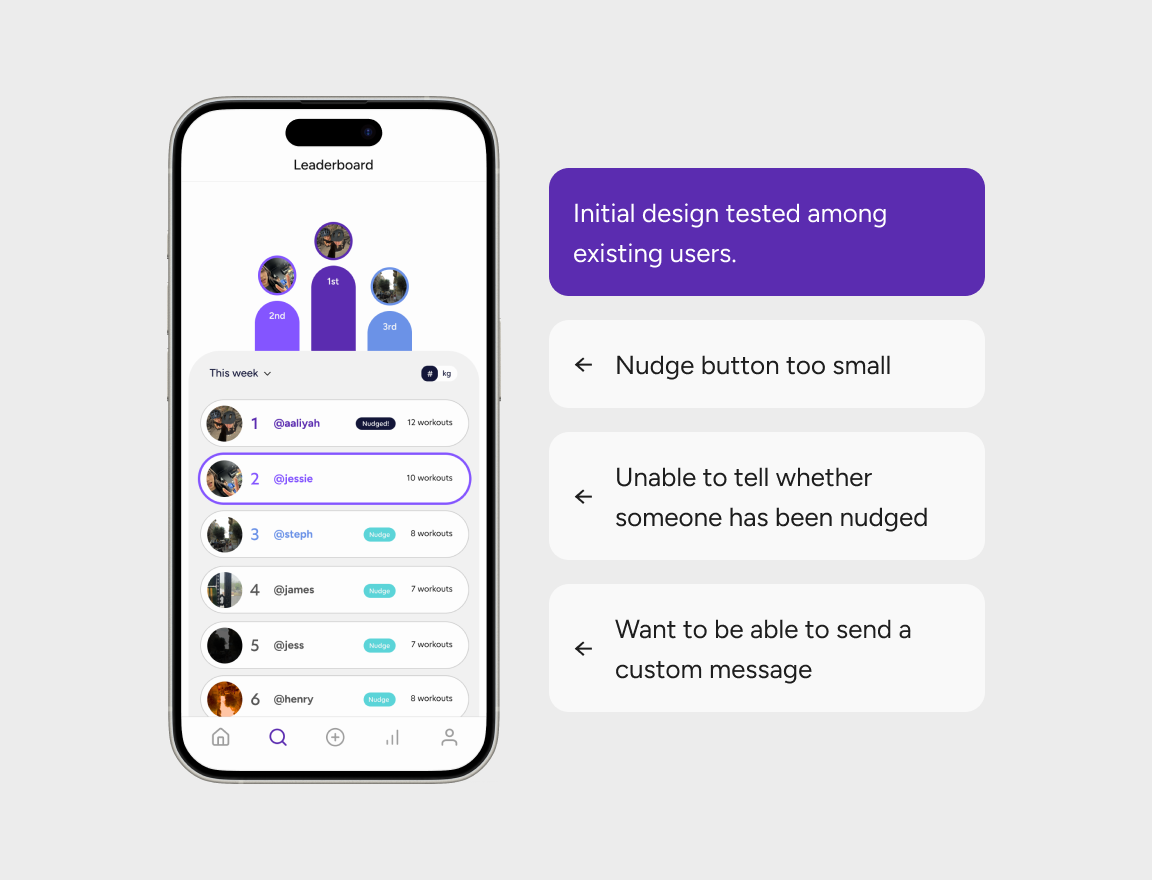
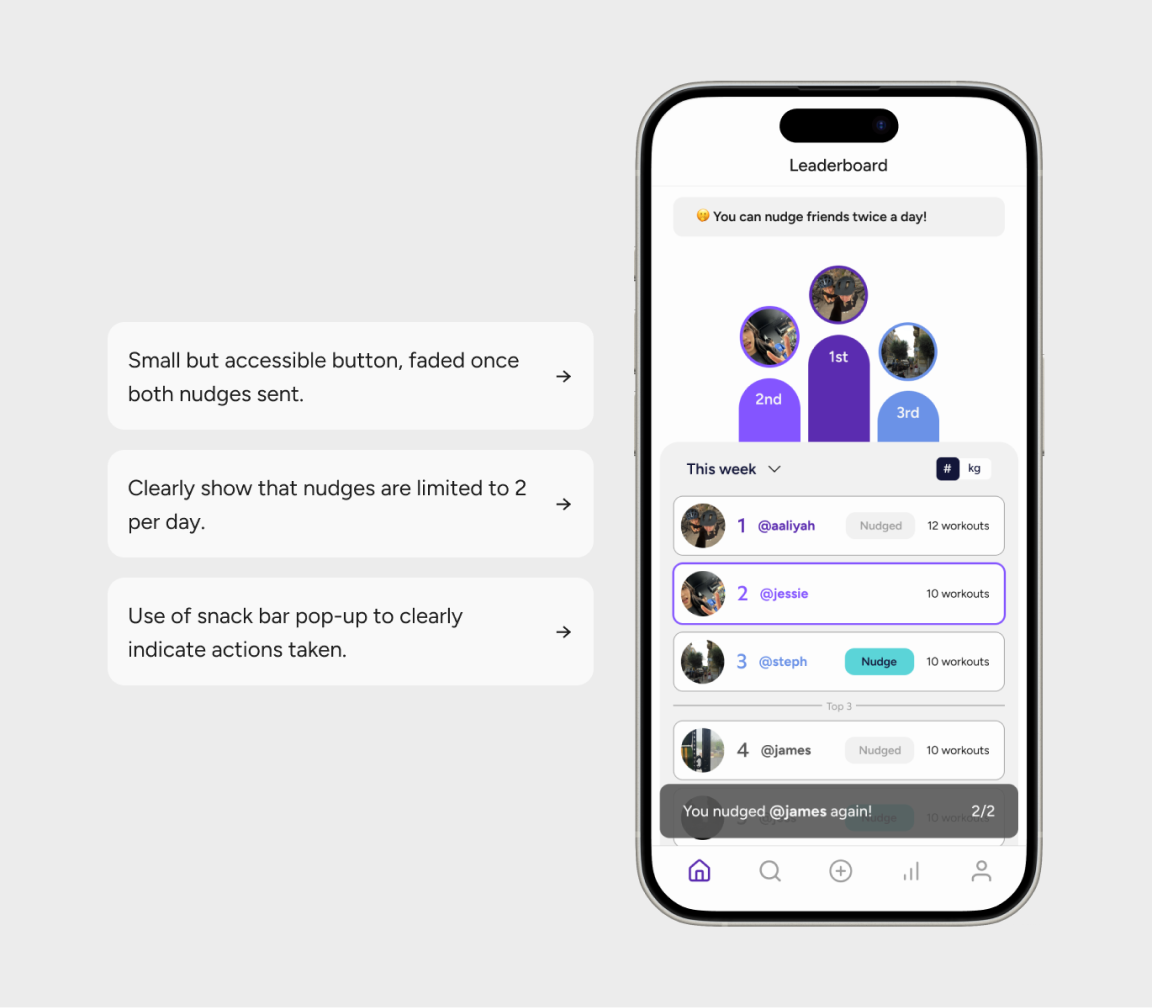
With more time, the main room for improvement would be adding more animations into the leaderboard and nudge interactions.
Takeaways
Working on Fortus taught me a lot about designing within constraints. I had plenty of ideas, from alternative exercises and detailed descriptions to dark mode and social features.
I learnt to prioritise what was achievable and impactful within the two-month timeline. Some choices were short-term compromises, but they opened up ideas for how the app could scale later.
KEY SKILLS
- Communicating efficiently with dev teams
- Building a design system
- Working with live feedback & producing quick iterations
Based in Brisbane, Australia. From +82
← Back to all projects
Fortus Fit
Product design for Fortus, a gym-tracking app with social features to get gains with friends.
This project began in September 2024, when I was asked to support a start up at UQ for design and marketing. I quickly realised the app was missing a brand, variables and overall strategy. I worked with the team to create a brand guideline, product roadmap and worked on developing a source of truth for the app within Figma to share with the dev team. This app has been launched on App Store and Google Play, although not all features have been implemented since due to the team’s own constraints. In 2026, we are working on pushing a major update to revive the app with a new backend and more consistent design system.
Case Study
The case for a redesign: Revisiting Fortus’ key goals
Many individuals find it difficult to begin their gym journey and stay consistent past the short-term. Based on this, there were two key MVP requirements for the app:
Workout Tracking & Insights
Allow users to log gym sessions and view their progress through insights. Custom routines can be created and saved.
Social Feed & Leaderboard
Users can share their workout to a social feed and maintain their own profile in the app. The Leaderboard captures how your friends are going in the gym.
While most of the features existed, they hadn’t been properly designed.
How might we create an app that is easy for beginners and encourage social interaction to boost motivation?
Beginner Friendly
Create an intuitive and inviting experience
Remove as many frictions and barriers to entry as possible. Focus on accessibility and intuitive designs with clear but engaging communication to users.
Customisable
Recognising everyone has different goals
Tailored insights to workout preferences, allowing users to track what matters most to them. Remaining approachable for beginners while providing the flexibility and depth for experienced users.
KEY REDESIGNS
- Onboarding Flow: Reducing Frictions
User feedback showed the process was confusing — with no loading states, unclear error messages, and outdated styling (especially for Forgot Password).
Not just registering, but beginning a journey.
We streamlined the sign up process into three input steps and username. I also added a progress bar to reassure users the process was nearly complete.
Considerations for implementation.
As initial input fields changed depending on log in type and we wanted more data options, I designed pop-ups for three different cases (existing, new, social sign ups).
Data collection for future customisation
The questions were kept as objective as possible and easy to answer. I ensured there was a skip button and progress bars like the log in section to increase participation.
- Home Screen: A Recognisable Design
I refreshed the homepage with the new branding and introduced a distinct feed style, designed to be instantly recognisable and shareable when users take screenshots or use the app in public. This slide shows the version I presented to the team during the initial homepage update.
Additional features in development
The current version has been shipped into the app with accessibility improvements. We are also working on performance improvements for the main screen and opportunity to add additional tags and animations.
Iterating the design from user feedback.
With more time, the main room for improvement would be adding more animations into the leaderboard and nudge interactions.
Takeaways
Working on Fortus taught me a lot about designing within constraints. I had plenty of ideas, from alternative exercises and detailed descriptions to dark mode and social features.
I learnt to prioritise what was achievable and impactful within the two-month timeline. Some choices were short-term compromises, but they opened up ideas for how the app could scale later.
KEY SKILLS
- Communicating efficiently with dev teams
- Building a design system
- Working with live feedback & producing quick iterations
Based in Brisbane, Australia. From +82